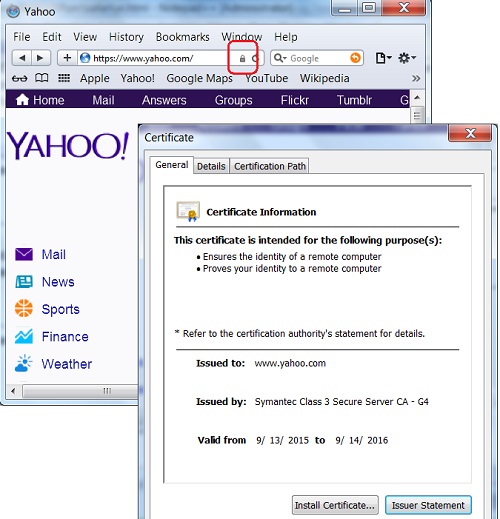
General Information of Server Certificate in Safari 5
Q
How to read general information of a server certificate in Safari 5? What is the meaning of "Issued by"?
✍: FYIcenter.com
A

This tutorial may help you to understand general information of the server certificate of a secure Web site reported in Safari 5.
1. Run Safari 5 and visit https://www.yahoo.com Web site.
2. Open the server certificate by clicking the "Lock" icon at the end of the Web site address input box. You see the certificate screen showing up.
3. Click on the "General" tab. You see general information of Yahoo server certificate like:
- "This certificate is intended for the following purpose(s): Ensures the identity of a remote computer; Proves your identity to a remote computer" - This tells you that the certificate is valid for identify the Yahoo Web site. It can also be used to identify Yahoo to another system.
- "Issue To: www.yahoo.com" - This tells you that the certificate represents www.yahoo.com.
- "Issue By: Symantec Class 3 Secure Server CA - G4" - This tells you that who issued the certificate.
- "Valid from 9/13/2015 to 9/14/2016" - This tells you that the certificate is valid until Sep. 14, 2016.
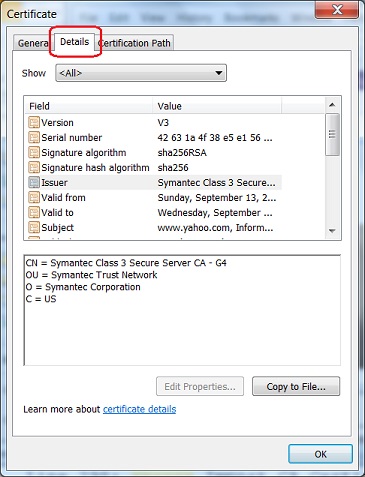
Additional information of the certificate can be viewed by clicking the "Details" tab.
2015-10-09, ∼2874🔥, 0💬
Related Topics: