Detailed Information of Server Certificate in Safari 5
Q
How to view detailed information of a server certificate in Safari 5?
✍: FYIcenter.com
A
If you want to see more detailed information of a server certificate in Safari 5, you can follow these steps:
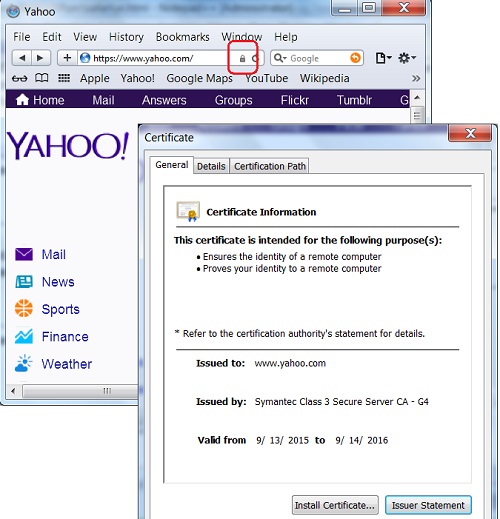
1. Run Safari 5 and visit https://www.yahoo.com Web site.
2. Open the server certificate by clicking the "Lock" icon at the end of the Web site address input box. You see the certificate screen showing up.
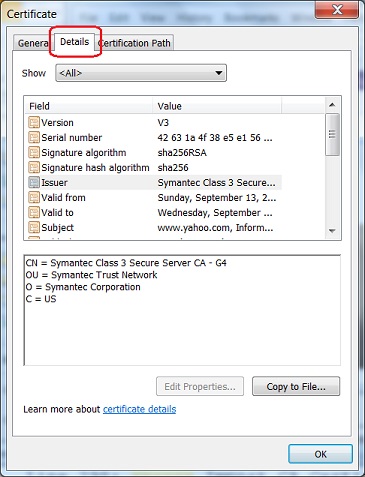
3. Click on the "Details" tab. You see a list of data fields in the certificate showing up.
4. Click on field names, one at a time, to see the full value of that field.
5. For example, click the "Issuer" field. You see "Issuer" value showing up.
CN = Symantec Class 3 Secure Server CA - G4
OU = Symantec Trust Network
O = Symantec Corporation
C = US
2015-10-09, ∼3080🔥, 0💬
Related Topics: