List of Root CA Certificates Used by Mozilla Firefox 9
Q
How to see the list of root CA certificates used by Mozilla Firefox 9?
✍: FYIcenter.com
A
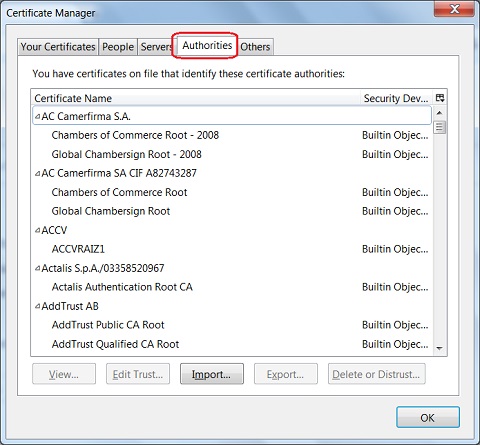
 To see the list of trusted CA certificates used by Mozilla Firefox 9,
you need to use the Certificate Manager built-in Mozilla Firefox
as shown below:
To see the list of trusted CA certificates used by Mozilla Firefox 9,
you need to use the Certificate Manager built-in Mozilla Firefox
as shown below:
1. Click the "Tools > Options" menu.
2. Click the "Advanced > Encryptions" tab.
3. Click "View Certificates" button. You see the Certificate Manager showing up.
4. Click "Authorities" tab. You see the list of trusted CA certificates showing up.
⇒ "This Connection is Untrusted" Error in Mozilla Firefox 9
⇐ Start "Certificate Manager" Inside Mozilla Firefox 9
2016-07-12, ∼4090🔥, 0💬
Related Topics:

