Export Root CA Certificate from IE to File
How to export a Root CA certificate from IE? I want to save a copy before removing the certificate.
✍: FYIcenter.com
 If you want export a copy of a CA certificate from IE,
you can follow this tutorial:
If you want export a copy of a CA certificate from IE,
you can follow this tutorial:
1. Start "Certificate Manager" in IE.
2. Click "Trusted Root Certificate Authorities" tab. You see the list of trusted CA certificates showing up.
3. Scroll down in the list and double-click on "GeoTrust Global CA". You see the Certificate viewer showing up.
4. Click "Details" tab. You see details of the certificate showing up.
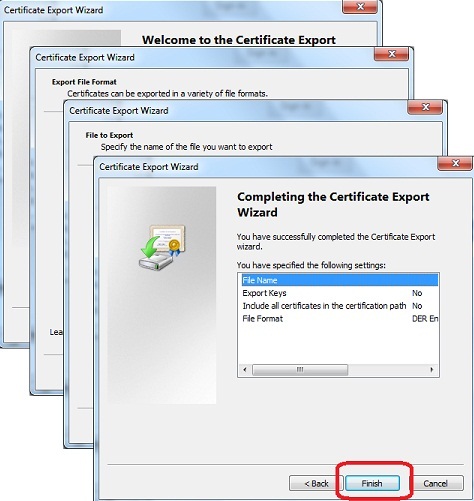
5. Click "Copy to File..." button. You see "Certificate Export Wizard" showing up.
6. Click "Next" button. You see "Export File Format" screen showing up.
7. Keep the default format "DER encoded X.509 (.CER)" and click "Next" button. You see "File to Export" screen showing up.
8. Find the folder where you want to save the file like C:\fyicenter, enter a file name like GeoTrust.cer. Then click "Next" button. You see confirmation screen showing up.
9. Click "Finish" button to save the CA certificate to specified file:
⇒ Certificate File Format Supported in IE
⇐ Details View of Root CA Certificate in IE
2012-07-25, ≈11🔥, 0💬
Related Topics:

