Start OpenSSL on Windows Systems
Q
How to start OpenSSL? Where is it located? I have installed OpenSSL for Windows 0.9.8h on my Windows computer.
✍: FYIcenter.com
A
 If you have OpenSSL for Windows installed,
you can start the "openssl" command using these steps:
If you have OpenSSL for Windows installed,
you can start the "openssl" command using these steps:
1. Go to the "C:\Program Files\GnuWin32\bin" folder.
2. Find openssl.exe and double-click on it.
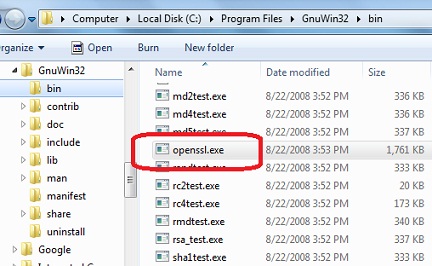
3. Wait for OpenSSL command line window to show up. And try the "version" command and exit:
openSSL> version
openSSL 0.9.8h 28 May 2008
openSSL> exit
⇐ Install OpenSSL 0.9.8h on Windows
2016-09-04, ∼8074🔥, 0💬
Related Topics:


