Java Control Panel - Import Certificate
How to import a certificate as a user-level trusted certificate using Java Control Panel?
✍: FYIcenter.com
 If you obtained a certificate and want make it as user-level trusted certificate
for Java applications, you can use Java Control Panel with these steps:
If you obtained a certificate and want make it as user-level trusted certificate
for Java applications, you can use Java Control Panel with these steps:
1. Start "Java Control Panel" in "Windows Control Panel" under the "Programs" category.
2. Click "Security" tab, then "Certificates..." button.
3. Change "Certificate Type" to "Trusted Certificates", and click "User" tab.
4. Click "Import" button. Change "Files of type" to "All Files" on the "Open" dialog box.
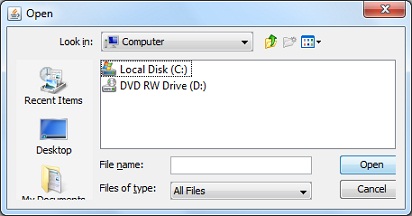
5. Locate the certificate file to be imported, for example, facebook_cert.pem. Click "Open" button. The certificate will be imported into the user-level trusted certificate keystore.
⇒ Java Control Panel - Export Certificate
⇐ Java Control Panel - Certificate Details
2012-07-22, ≈16🔥, 0💬


