Disable Root CA Certificate on Android
How to remove or disable a Root CA certificate on my Android device? I don't trust that root CA anymore.
✍: FYIcenter.com
 You can not remove any root CA certificate from the "System" store on your Android device.
But you can disable it as shown in this tutorial:
You can not remove any root CA certificate from the "System" store on your Android device.
But you can disable it as shown in this tutorial:
1. Go to Settings > Personal > Security > Credential storage.
2. Tap on "Trusted Credentials - Display trusted CA certificates".
3. Tap on "System" tab. All trusted root CA certificates will be displayed.
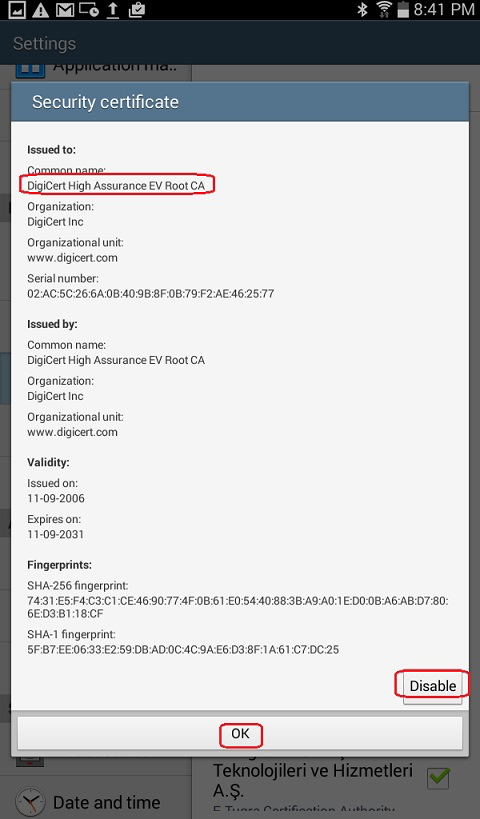
4. Scroll down and tap on "DigiCert Inc - DigiCert High Assurance EV Root CA". Details of the certificate will be displayed.
5. Tap on the "Disable" button near the bottom right corner of the screen. Then tap on OK to save the change. "DigiCert High Assurance EV Root CA" should be displayed as unchecked (disabled).
Â
⇒ Install Certificates to "User" Store on Android
⇠View CA Certificate Details on Android
2023-07-06, ≈11🔥, 1💬


